





The gear
 × 2KRK
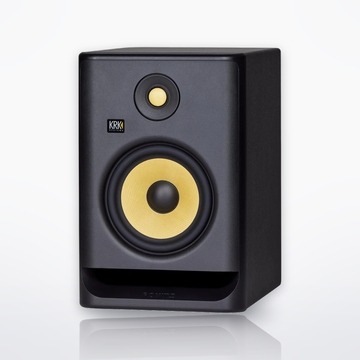
Rokit 7 G47" Powered Near-Field Studio MonitorSingle speaker$250.00 eachComing soon
× 2KRK
Rokit 7 G47" Powered Near-Field Studio MonitorSingle speaker$250.00 eachComing soon Yamaha
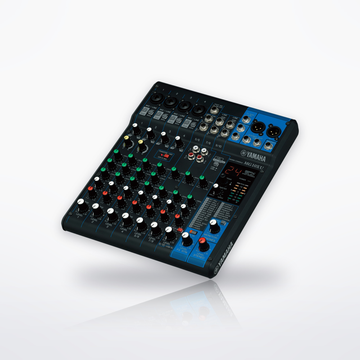
UR22MK3USB-C Audio Interface$169.99Coming soon
Yamaha
UR22MK3USB-C Audio Interface$169.99Coming soon AlphaTheta
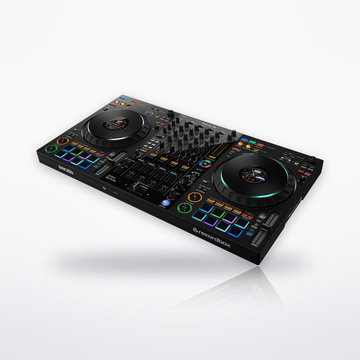
SLABBeat Machine / Pad Controller$329.00Coming soon
AlphaTheta
SLABBeat Machine / Pad Controller$329.00Coming soon Yamaha
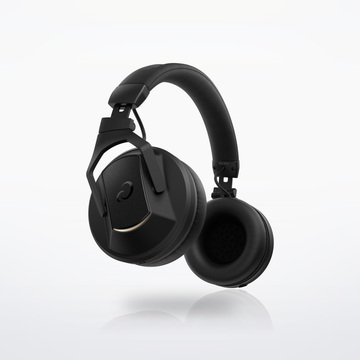
HPH-MT7Studio Monitor Headphones$179.99Coming soon
Yamaha
HPH-MT7Studio Monitor Headphones$179.99Coming soon Yamaha
YCM01Condenser Microphone$124.99Coming soon
Yamaha
YCM01Condenser Microphone$124.99Coming soonAccessories (optional)
 Hosa
MST-224 Desktop Microphone StandDesktop Microphone Stand$20.95Coming soon
Hosa
MST-224 Desktop Microphone StandDesktop Microphone Stand$20.95Coming soonTabletop stand for the YCM01
 Hosa
MSB-521BK Microphone Stand with BoomMicrophone Stand$76.95Coming soon
Hosa
MSB-521BK Microphone Stand with BoomMicrophone Stand$76.95Coming soonFloor stand with a boom, to sing or play standing up
 Hosa
MSB-265 Desktop Microphone Boom ArmMicrophone Boom Arm$89.95Coming soon
Hosa
MSB-265 Desktop Microphone Boom ArmMicrophone Boom Arm$89.95Coming soonDesk arm that clamps to the desk edge, for mics up to 4 lb
 RØDE
PSA1+Professional Studio Arm$139.00Coming soon
RØDE
PSA1+Professional Studio Arm$139.00Coming soonDesk arm with damped springs for silent moves
Sound flow
Tap a piece to swap it in the builder.


Cables you need
 2 × CSS-100 Balanced Interconnect10 ft · UR22MK3 outputs to each Rokit 7 G4
$29.90$14.95 each
2 × CSS-100 Balanced Interconnect10 ft · UR22MK3 outputs to each Rokit 7 G4
$29.90$14.95 each
 1 × CMI-100 Quad Microphone Cable10 ft · YCM01 into the UR22MK3
$26.95
1 × CMI-100 Quad Microphone Cable10 ft · YCM01 into the UR22MK3
$26.95


Cables total$56.85
How it connects, step by step
- Install the Yamaha Steinberg USB Driver from Yamaha's site first: the computer needs it to recognize the UR22MK3. Then connect it with the included USB-C to USB-A cable; it runs on bus power and comes with Cubase AI.
- YCM01 on XLR into input 1. Press 48 V. A guitar plugs into the guitar jack on input 2, so you can record a vocal and a guitar at once.
- Two 1/4-inch TRS cables from the UR22MK3's line outputs to the Rokit 7 G4 pair; each Rokit takes TRS or XLR on its combo input.
- On each Rokit, use the LCD to set the room EQ and the same VOLUME, so both speakers are level matched.
- SLAB plugs into a second USB port. Open Serato Studio and the full version unlocks while it is connected. In MIDI mode it also drives Ableton Live, FL Studio or Logic Pro.
- HPH-MT7 into the headphone jack with its 1/4-inch adapter, for late-night work or recording without the speakers on.
- Share it: in Cubase AI, which comes with the interface, File > Export > Audio Mixdown saves your song as a WAV or MP3 file to send or post.
Every step is from the makers' own manuals and product pages, checked October 2026.
Intermediate music production setupSet total $1,360.82