





The gear


Accessories (optional)
 Hosa
MSB-521BK Microphone Stand with BoomMicrophone Stand$76.95Coming soon
Hosa
MSB-521BK Microphone Stand with BoomMicrophone Stand$76.95Coming soonFloor stand with a boom; one per mic
 Hosa
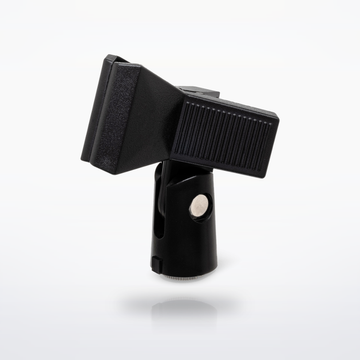
MHR-122 Spring Microphone ClipMicrophone Clip$10.95Coming soon
Hosa
MHR-122 Spring Microphone ClipMicrophone Clip$10.95Coming soonSpring clip to hold the GMU-M100 or HT-300 handheld on a stand; neither box has a clip
Sound flow
Tap a piece to swap it in the builder.


Set total
$1,898.726 pieces and 5 cables, at today's prices.With the GMU-M100: $1,898.72.With the R300-HD: $2,213.72.Shop all live venue gear
Cables you need
 2 × CMI-100 Quad Microphone Cable25 ft · One per YDM505S into the MG10XU
$89.90$44.95 each
2 × CMI-100 Quad Microphone Cable25 ft · One per YDM505S into the MG10XU
$89.90$44.95 each
- 2 × CMI-100 Quad Microphone Cable25 ft · Mixer stereo out, left and right, to the two speakers
$89.90$44.95 each
 1 × HDMA-400 High Speed HDMI Cable10 ft · Laptop to the lyrics screen
$23.95
1 × HDMA-400 High Speed HDMI Cable10 ft · Laptop to the lyrics screen
$23.95
- With the R300-HD: one 10 ft CMI-100 from the receiver into the mixer.
- A USB cable with a USB-B plug for the mixer. It is not in the MG10XU box.


Cables total$203.75
How it connects, step by step
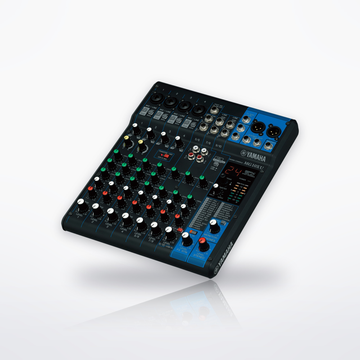
- YDM505S mics on XLR cables into channels 1 and 2 of the MG10XU. Turn on HPF, which cuts rumble below 80 Hz, and add a little COMP for steady levels. Leave PHANTOM +48V off: these are dynamic mics.
- Charge the GMU-M100 mic and receiver before the night: Gemini rates the mic at about 10 hours and the receiver at about 5. Plug the receiver straight into channel 3's 1/4-inch jack.
- Two AA batteries in the HT-300 handheld last over 14 hours, EV says. Power the R300 receiver from its adapter, run ClearScan to find the clearest channel and EZsync the handheld to it, then XLR from the receiver's balanced output into channel 4 of the MG10XU.
- On a Windows laptop, install the Yamaha Steinberg USB Driver first; a Mac needs none. Connect the laptop straight to the mixer's USB 2.0 port, no hub, with a USB cable (none in the box), and choose MG-XU as its sound output. Set channels 9/10 to USB and the TO MON/TO ST switch to TO ST, so the songs play through the speakers. HDMI from the laptop puts your karaoke app's lyrics on a TV or projector.
- XLR from the mixer's left and right STEREO OUT into INPUT 1 of each ZLX-12P-G2, one per side. Keep the speakers' phantom power off and choose the Live mode on both.
- Put the speakers ahead of the singers, horns above head height, so the mics cannot feed back. We do not stock speaker or mic stands.
- Set each mic channel's GAIN so its PEAK light flashes only on the loudest notes, then balance the singers and the songs with the LEVEL knobs. If PK shows on a speaker's screen, lower its input level or the mixer's STEREO LEVEL.
- For echo on the voices, turn the PROGRAM knob to 14, KARAOKE (Yamaha's echo for sing-alongs), and press it. Turn on FX ON, raise FX RTN LEVEL, and turn up the FX knob on each mic channel.
Every step is from the makers' own manuals and product pages, checked October 2026.
Karaoke night setupSet total From $1,898.72